|
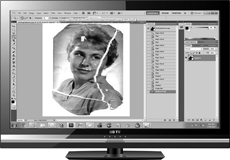
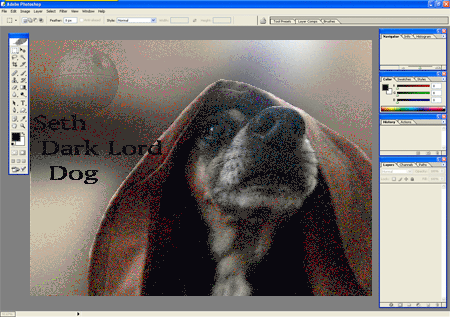
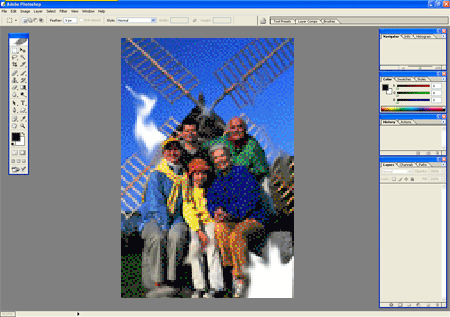
Adobe Photoshop
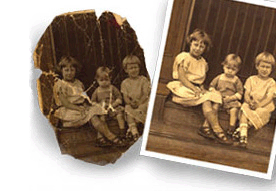
Photo-Restorations |
|
Sponsored by
Inspired
Art -Photo-Restorations |
|
|
"Photography
is the process, activity and
art of
creating still or moving
pictures
by recording
radiation
on a radiation-sensitive medium, such as a
photographic film,
or an
electronic sensor.
Photography uses foremost radiation in the
UV,
visible
and
near-IR
spectrum. For common purposes the term
light
is used in stead of radiation. Light reflected or emitted
from objects form a
real image
on a light sensitive area (film
or
plate)
or a
FPA pixel array sensor
by means of a
pin hole
or
lens in
a device known as a
camera
during a timed
exposure.
The result on film or plate is a
latent image,
subsequently
developed
into a visual image (negative
or
diapositive).
An image on paper base is known as a
print.
The result on the FPA pixel array sensor is an
electrical charge
at each pixel which is
electronically processed
and stored in a computer
(raster)-image
file for subsequent display or processing. Photography has
many uses for business, science, manufacturing (f.i.
Photolithography),
art, and recreational purposes.
As far as can be ascertained, it was
Sir John Herschel
in a lecture before the Royal Society of London, on March
14, 1839 who made the word "photography"
known to the whole world. But in an article published on
February 25 of the same year in an unknown and quite
anonymous newspaper called the Vossische Zeitung,
Johann von Maedler,
a Berlin astronomer, used the word photography already.
The word photography
is based on the
Greek
φῶς (photos) "light" and γραφή (graphé)
"representation by means of lines" or "drawing", together
meaning "drawing with light".
Source:
Wikipedia |
 |
Tools
View videos on how to
use the most common
Photoshop tools such as
the Healing Brush and
Patch, Blur, Smudge,
Clone, Magic Wand,
Lasso, Marque, Eye
Dropper, History Brush,
Sharpen, Burn, Dodge,
Sponge, Zoom, Text, Pen,
Airbrush, Cropping and
Move. |
|
 |
Color Enhancement and
Correction
View videos on how to
use the most common
Photoshop features such
as the, Curves, Levels,
Brightness, Contrast,
Exposure, Black and
White Conversions and
Colorization. |
 |
Photo Editing
Programs
Adobe Photoshop Homepage
Paint Shop Pro Homepage
Printshop-Tutorials-2.0
Tools and Manual |
 |
Filters
View videos on how to
use the most common
Photoshop filters such
as the Art Gallery,
Liquify, Vanishing
Point, Motion Blur,
Smart, Gaussian Blur,
Len Blur, Sepia,
Sharpening, Blending |
 |
CS5
Videos to show what is
new in CS5 such as
Content Aware,
Composing, Poppet Warp,
Patch Match, Painting,
Layers, Preferences, 3D
Texting. |
|
|
|
|
|
|
|
Some graphics reproduced using Print Shop Deluxe, Broderbund
Software, Inc. All Rights Reserved used by permission.
The Classroom does not claim
all descriptions of sites to be their own words.
The Classroom makes no promises or representations about the gadgets on
this site as to quality. content or performance |
|
Back To Top! |
|